First step ofour 2023 goals, our LinkedIn profile import plugin has been updated.
An important and long-awaited updatehas been made.Many of you have provided suggestions for improvement.
The Nicoka Team has tried tointegrate as many of your suggestions as possiblefor this update.
The list of planned improvements is still full, including the integration of the plugin into the LinkedIn messaging interface to import your conversations into Nicoka. #StayTuned
Update of the candidate and contact import plugin
After months of reflection and work, the Nicoka Team is proud to present this new version, especially Lisa, the project manager.
This plugin aims to be bothmore ergonomic, faster, and more customizable.
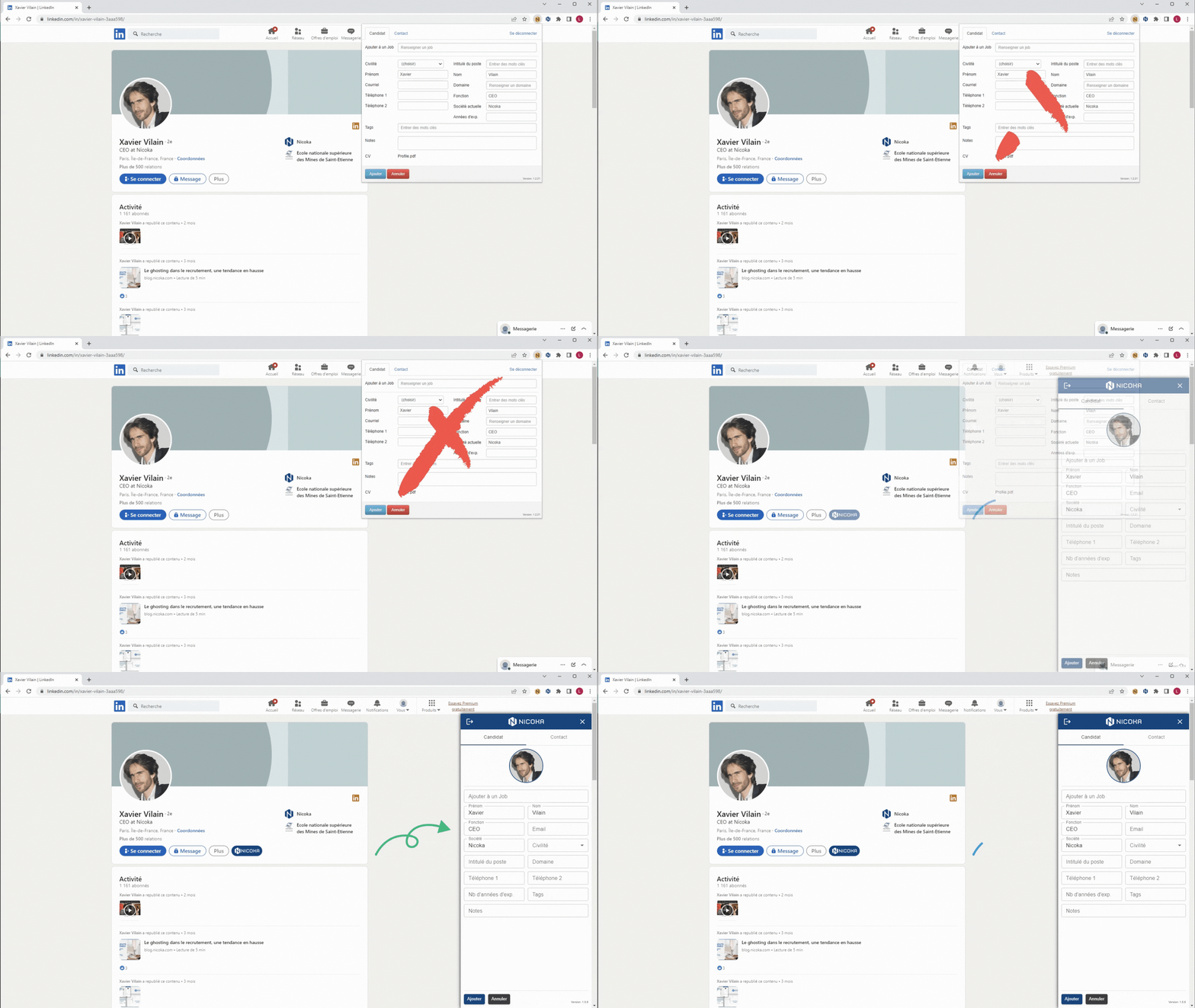
What can this Chrome plugin do?
For several years now, our Chrome plugin for importing candidates has allowed you toquickly import or update your contacts and candidatesin your Nicoka space.
The operation is simple:
- You log into LinkedIn or Viadeo
- You go to a profile
- Your Nicoka extension indicates that it can read this profile
- You click on create or update, and the profile is imported or updated in Nicoka.
You are free to perform any actions you wish on this profile.
No more need to copy and paste the information, experiences, skills, etc.
As useful as this plugin is, it was still very improvable.
What does this update bring?
More ergonomic
Now the Nicoka plugin is displayed as abanner on the right.
It remains open continuously when you switch from one profile to another.
If the plugin detects a profile,the Nicoka button appears directly in the Nicoka profile. You just need to click on it.
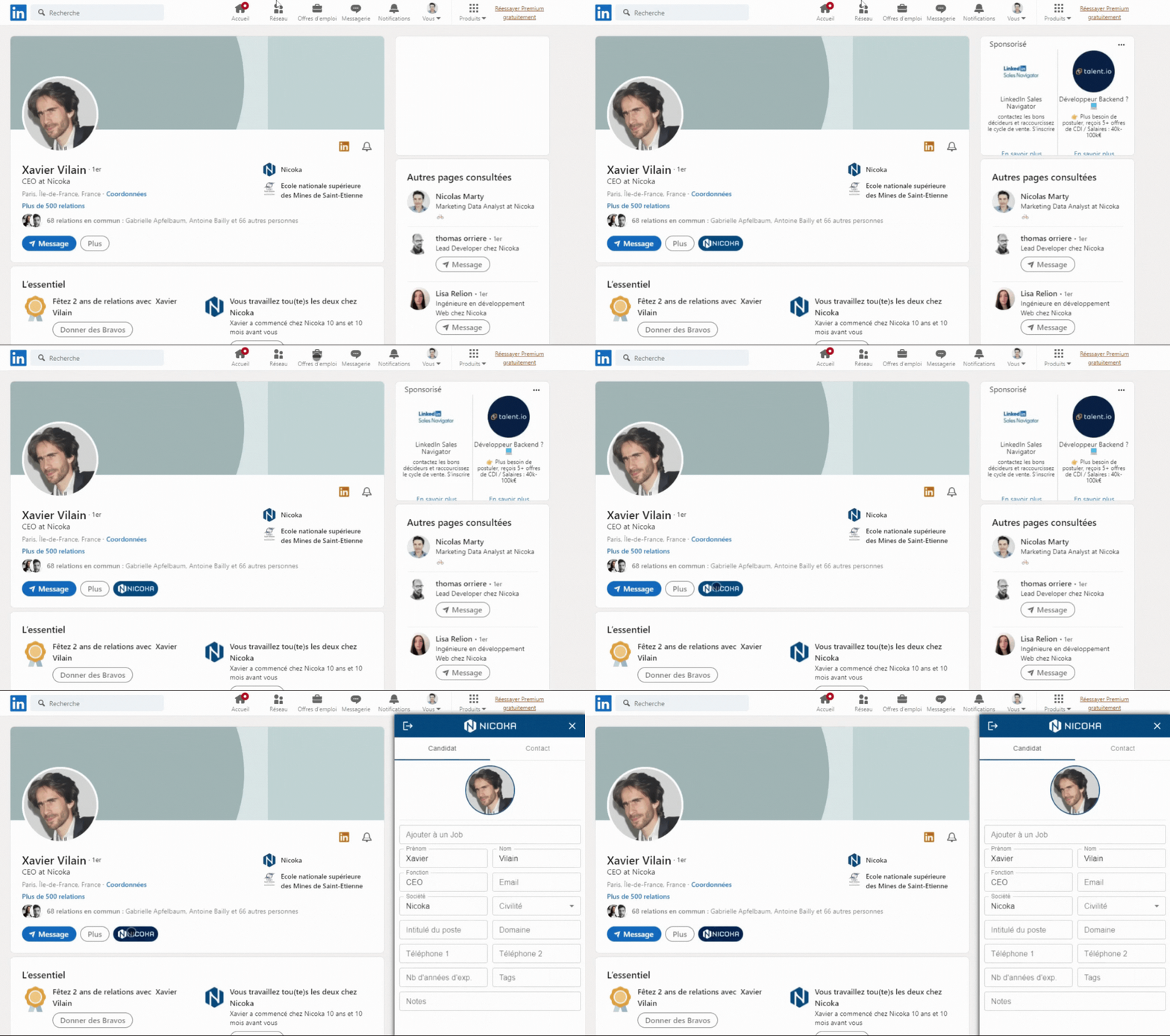
Faster
We have reviewed the entire code to improve the plugin's performance.
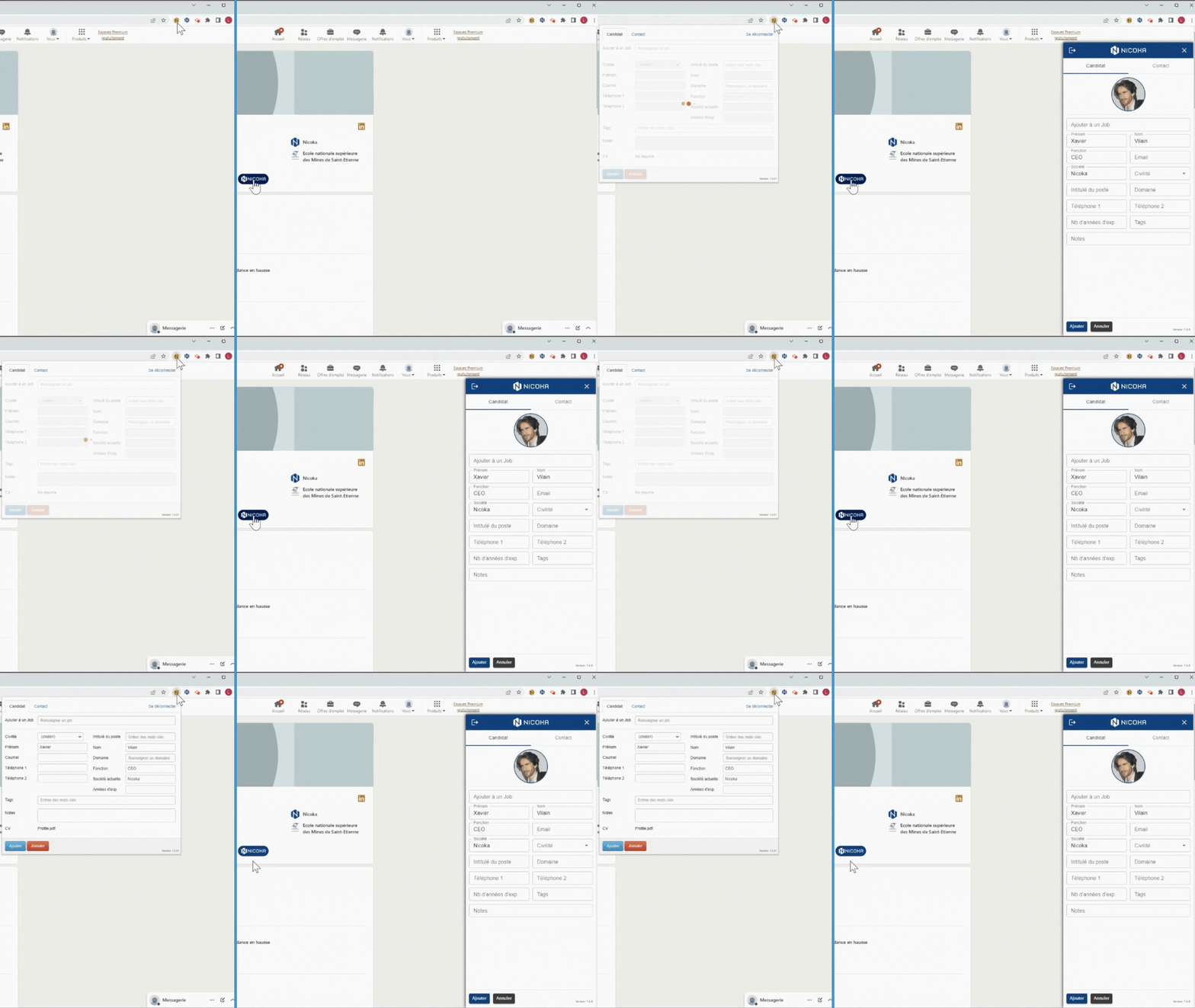
No more waiting,the plugin is three times fasterthan before.
While previously you had to wait about 3 seconds to get the information, nowin less than 1 secondthe plugin reads the information.
A significant time saver when you need to source multiple profiles.
More customizable
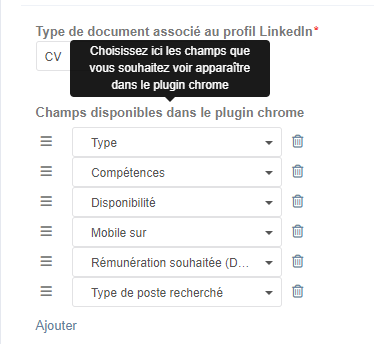
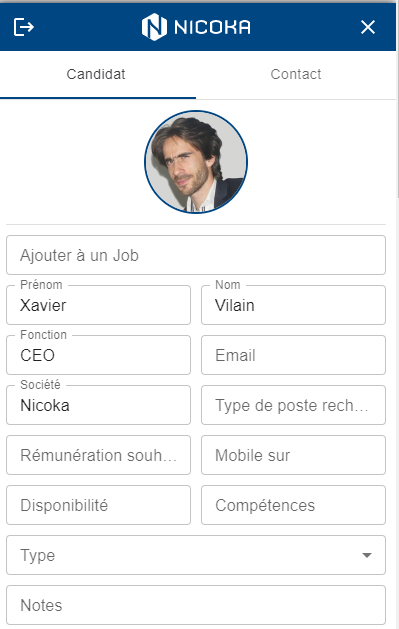
Another eagerly awaited improvement,you can choose the fields to fill from the plugin interface.
Whether they are Nicoka's native fields or fields created by you.
You just need to configure it, and you only have to fill them in.
Here is the list of fields we have configured for the plugin.
Here is what the Nicoka plugin displays when reading the profile.
How to use the Chrome plugin?
To know everything about the plugin, visit its support pageChrome Plugin - Candidate and Contact Import
